Have You Seen Novalnet in Your Bank Statement?
Seen Novalnet AG on your bank statement? Learn what Novalnet is, why it appears instead of the merchant, and what to do if you don't recognise the charge.
On this page
You are scrolling through your bank app, half-checking where the month went, and one line stops you: Novalnet. You do not remember buying anything from a company by that name. Your first instinct might be panic. Take a breath. In most cases, this charge is legitimate, and it takes only a few minutes to work out what it is.
This post explains who Novalnet is, why its name shows up instead of the shop you actually paid, and exactly what to do if you still cannot place the payment.
So, who is Novalnet?
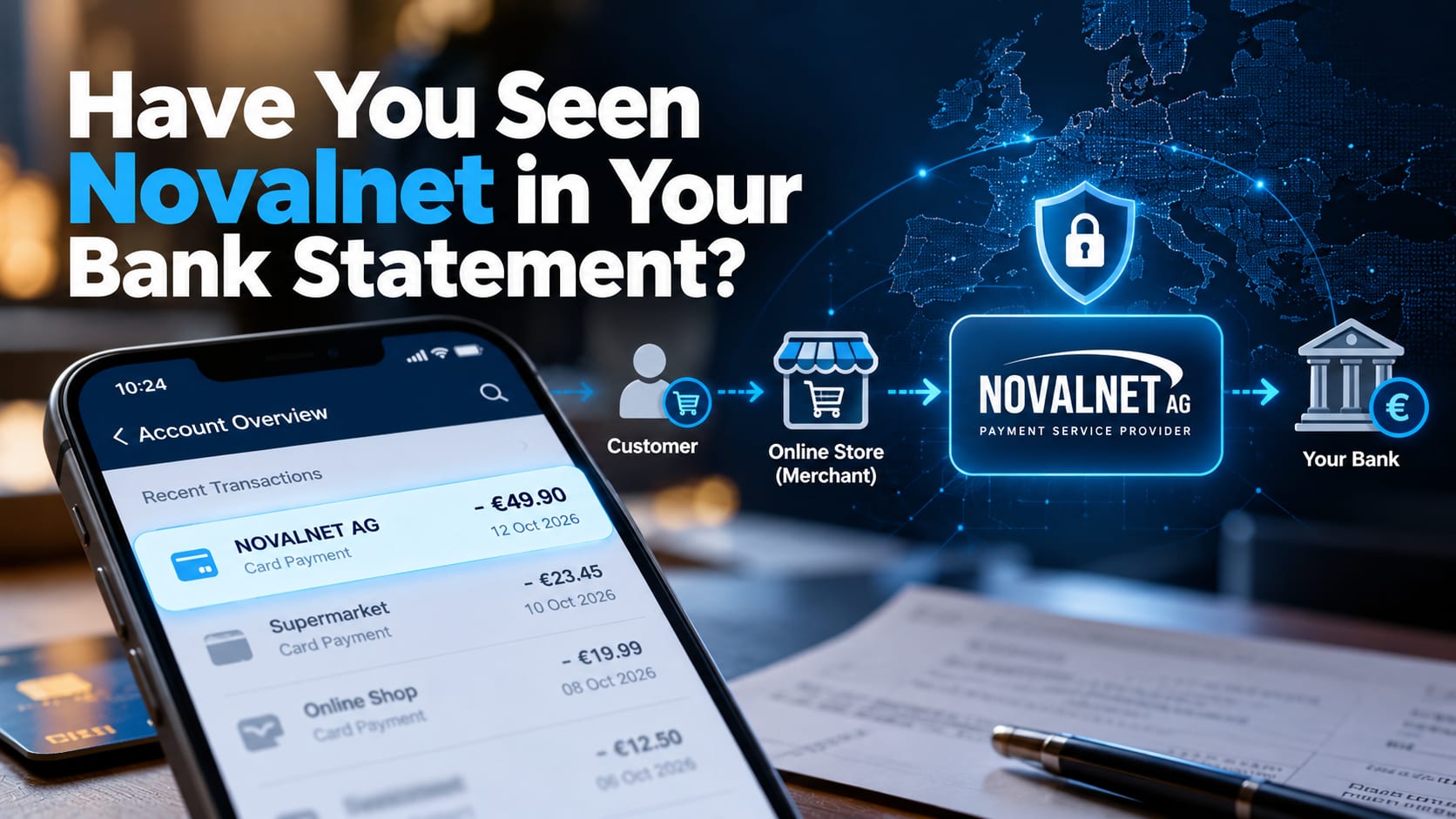
Novalnet AG is a German payment service provider (PSP), not a shop. It sits between you and the merchant, handling the technical and financial side of an online payment. Thousands of online shops, web portals, marketplaces and subscription services use it to accept card payments, SEPA direct debits, bank transfers and in-app payments (Novalnet).
It is also a regulated business. Novalnet is a licensed payment institution supervised by BaFin, Germany's Federal Financial Supervisory Authority, and states that it is audited against PCI DSS, the card industry's data security standard (Novalnet FAQ). The company has operated since 2007 (Startbase).
In short: seeing Novalnet on a statement is a bit like seeing the name of a courier on a parcel. The courier delivered it, but someone else sold it to you.
Why Novalnet appears instead of the shop you paid
When a merchant uses Novalnet, the money is often collected in Novalnet's name and then passed on to the merchant. Your bank simply records who pulled the funds, so the statement shows "Novalnet AG" rather than the brand you remember. In German statements you may also see it labelled as a Novalnet Abbuchung, which simply means a debit.
The most common reasons people find it there are:
A subscription renewal, such as a streaming service, online magazine, dating platform, software licence or fitness app that you signed up for months ago.
A free trial that converted into a paid plan because it was not cancelled in time.
A one-off online purchase from a smaller web shop or marketplace seller.
A family member's purchase made on a shared card or account.
A delayed or split charge, such as an instalment or a payment taken after the goods shipped.
How to work out what the charge is for
Before assuming fraud, spend five minutes on these checks. Most people solve the mystery at step one or two.
Contact Novalnet directly. If you are still stuck, email payment@novalnet.de with the TID, booking reference, date and amount from your statement. Novalnet can tell you which merchant the payment belongs to and confirm its status (Novalnet).
Read the full transaction details. Tap the entry in your banking app. The payment reference often contains a transaction ID (TID), a booking reference, and sometimes the merchant's name or website.
Search your email inbox. Look for "Novalnet", the exact amount, and the date. Merchants usually send an order or renewal confirmation, and it may mention Novalnet as the payment processor.
Match the date and amount. A charge that repeats on the same day each month almost always points to a subscription.
Check your app store and online accounts. Review active subscriptions on your phone and in services you have signed up for recently.
Ask the people who share your card. A partner, child or colleague may have made the purchase.
One point to keep in mind: Novalnet can help with the payment itself, but it cannot cancel your contract or refund an order on the merchant's behalf. For cancellations and refunds, go to the merchant.
Still don't recognise it? Here's what to do
If you have done the checks above and the charge still makes no sense, treat it as potentially unauthorised and act quickly.
Write to Novalnet with the transaction details, stating that you consider the charge unjustified. This puts it on record and helps trace the merchant.
Keep evidence. Save screenshots of the statement, any emails, and your correspondence with the bank and the merchant.
Do not ignore payment reminders. If you receive a reminder or a collection letter for a charge you dispute, respond in writing and keep a copy. If the amount is significant or the claim looks wrong, consider consumer advice or legal guidance.
Contact your bank or card issuer first. Explain that you do not recognise the payment. They can block further debits from that creditor and, if needed, replace your card.
Raise a dispute. For card payments, ask your issuer about a chargeback. For SEPA direct debits in Europe, you can usually request a refund of an authorised debit within eight weeks, and an unauthorised debit within 13 months. Your bank will confirm the exact rules for your account.
It also helps to remember that a payment processor's name on your statement does not, by itself, prove that a valid contract exists. If you never agreed to the service, say so clearly (MTR Legal).
A word of caution about scams
Unfamiliar charges are a favourite hook for fraudsters. Someone may call, text or email claiming to be from Novalnet or your bank, offering to "reverse" the payment. Be careful:
Never share your card PIN, full card number, online banking password or one-time codes with anyone who contacts you.
Do not click links in unexpected messages. Type the official website address yourself, or use the contact details printed on your bank card.
Be suspicious of urgency. "Act in the next ten minutes or lose your money" is a pressure tactic, not customer service.
No legitimate refund requires remote access to your phone or computer.
How to avoid surprises in future
Turn on instant transaction alerts in your banking app.
Keep a simple list of your subscriptions, with renewal dates and the card each one uses.
Set a calendar reminder two days before any free trial ends.
Use a virtual or separate card for online subscriptions, so you can cancel it without disrupting everything else.
Review your statement once a month. It takes ten minutes and catches problems early.
The bottom line
Seeing Novalnet on your bank statement is usually not a red flag. It is a regulated payment provider processing a payment for a shop or service you used, very often a subscription. Check the reference, search your inbox, and match the date and amount, and you will usually find the answer quickly.
If you cannot, act calmly but promptly: speak to your bank, dispute the charge, and keep a record. Your money and your peace of mind are worth those few extra minutes.
Still in doubt? Contact Novalnet directly. Email payment@novalnet.de with the transaction ID (TID), booking reference, date and amount from your statement. Novalnet can identify the merchant behind the payment and confirm its status.
Have you found a mystery charge on your statement recently? Share how you tracked it down in the comments; it might help someone else.

Discussion